





● LiveNovember 5th @6pm ESTStarts in: 00d : 00h : 00m : 00s
X
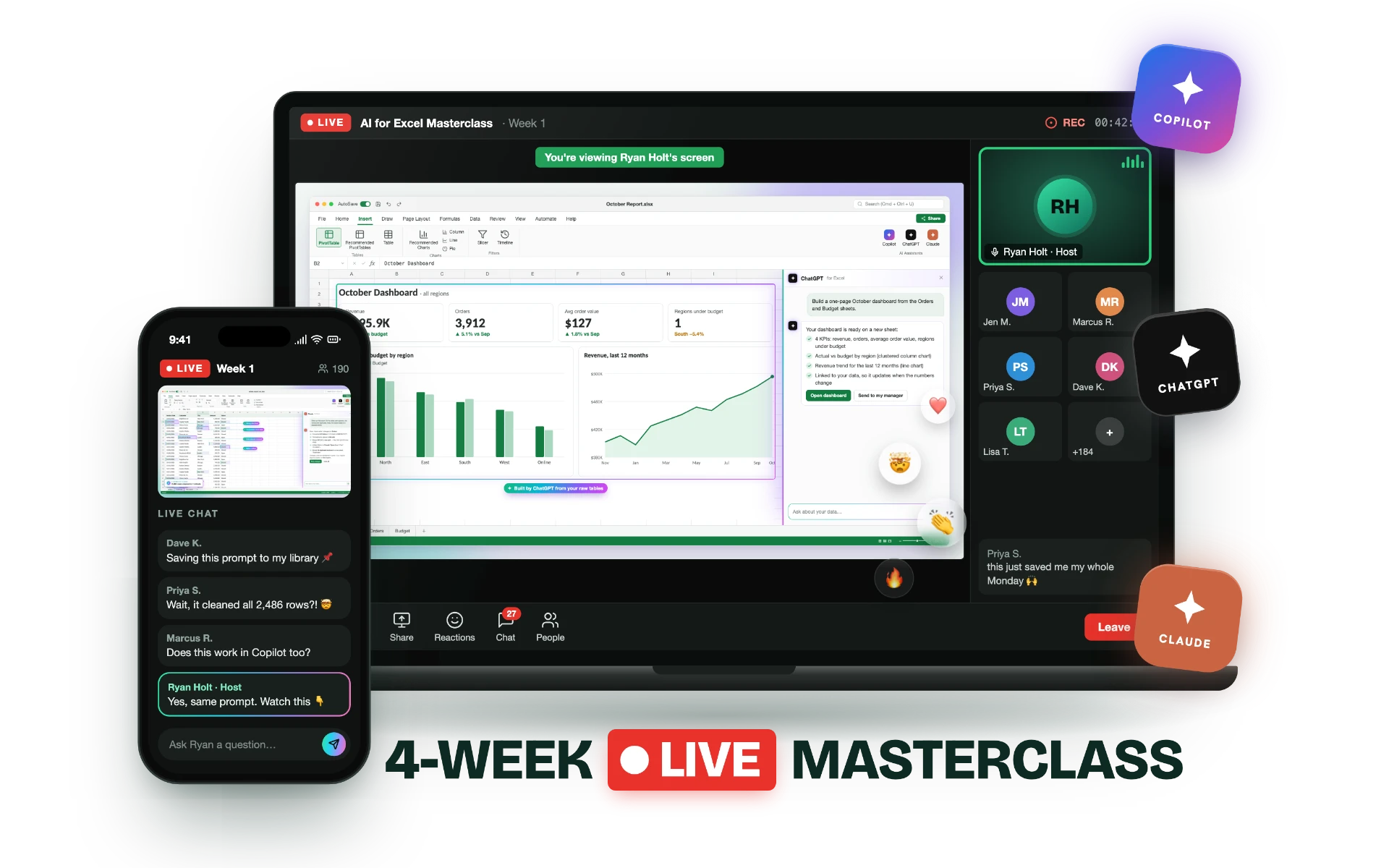
AI Excel Masterclass
4-Week Masterclass for Professionals Who Work in Excel

I’ll Teach You How to Use AI to Automate Your Repetitive Tasks and Reports, and Start Saving 10+ Hours Every Week

I’ll show you how to use Copilot, ChatGPT, Claude or whichever AI your company allows inside Excel to turn raw exports into finished reports and dashboards in minutes, and spot AI’s mistakes before anyone else does.

AI Excel Masterclass mock-up
📊
First lesson
Thu, November 5th
🎥
Recordings
All lessons recorded
💵
Price
$45
🕰️
Time
6:00–7:30 PM ET

AI Is Changing the Way Professionals Use Excel

If Excel is part of your week, whether you track sales, manage budgets, run inventory, handle payroll and HR data, plan projects, or pull numbers together before every meeting, you’ve probably noticed how much has changed in the last few months.

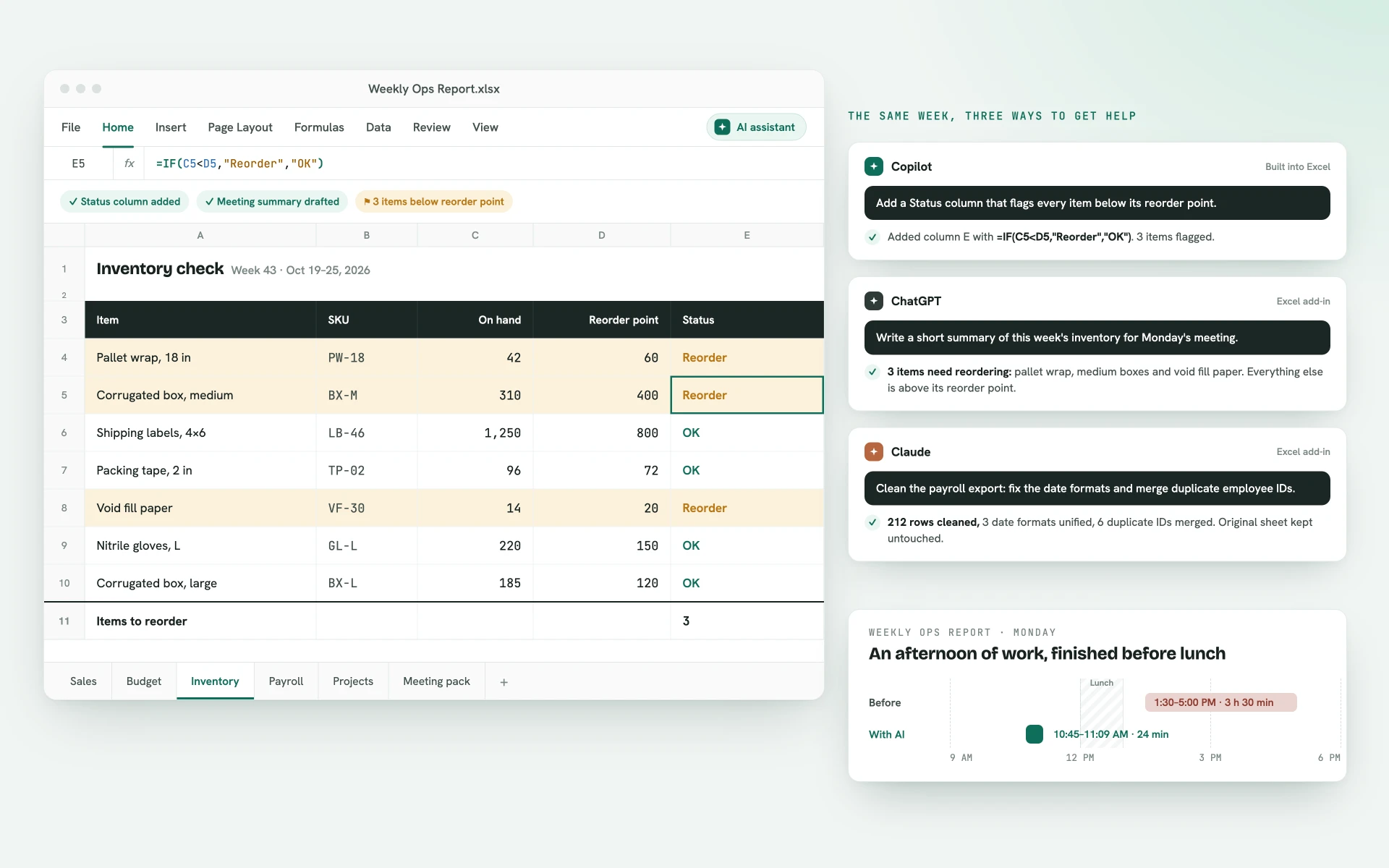
Copilot now sits inside Excel, colleagues are pasting data into ChatGPT and Claude, and work that used to take a whole afternoon is being finished before lunch by the people who’ve figured out how to use these tools properly.

Excel with AI

How Many Times Have You Found Yourself Typing Something Like This Into Google?

  • “how to automate the same excel report every month”
  • “how to stop copying and pasting data between excel files”
  • “copilot in excel what to type”
  • “what am I allowed to paste into chatgpt at work”
  • “how to clean messy data in excel fast”
  • “can ai build a dashboard in excel”

If any of those sound familiar, you’re not alone.

Every week I get messages from experienced professionals asking me exactly these questions, and almost all of them are about the same repetitive work that eats hours out of their week.

I’ve spent the last 3 years using Copilot, ChatGPT and Claude on real month-end reports, budgets and dashboards, turning work that used to keep me at my desk until 7 PM into something I finish in less than 30 minutes.

Today I’m inviting you to the AI Excel Masterclass, a 4-week live masterclass where I’ll show you how to do the same with your own spreadsheets.

Your results

By The End Of The Four Weeks, You’ll Be Able To:

Turn the tasks you repeat every week into workflows that take minutes

Clean messy exports from any system without fixing a single cell by hand

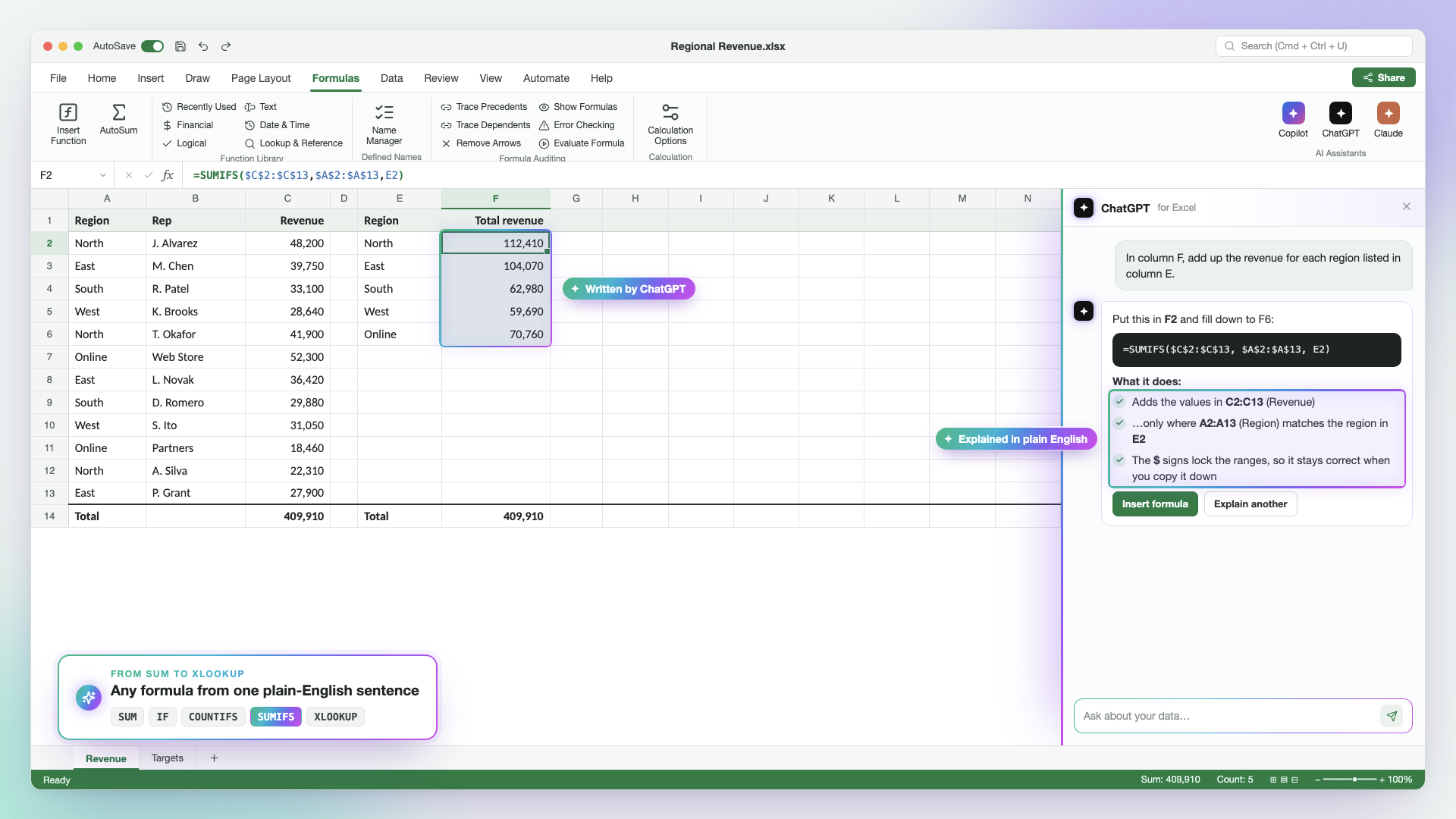
Get any formula you need just by describing it in plain English

Build reports and dashboards that update automatically when new data comes in

Share every file with your manager knowing the numbers are right

The masterclass starts on November 5th.

Seats are limited to 40 because I want to answer every question live.

Seats_Nov5.xlsxLIVE
1Total seats40
2Seats taken21
3Seats left19
53% full27 people viewing this page

By The End Of Week 4 You’ll Be Able To…

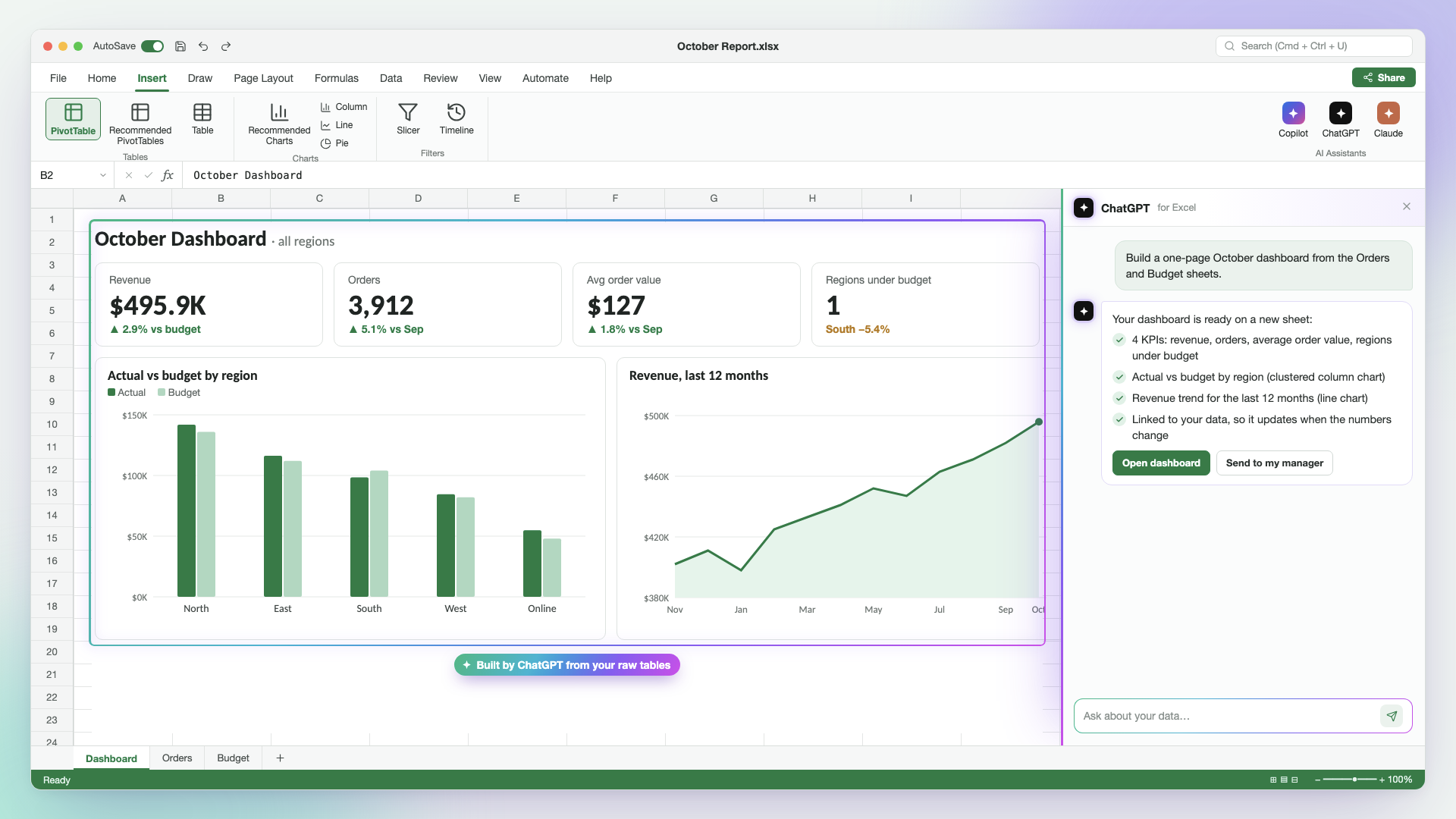
Excel dashboard built with AI
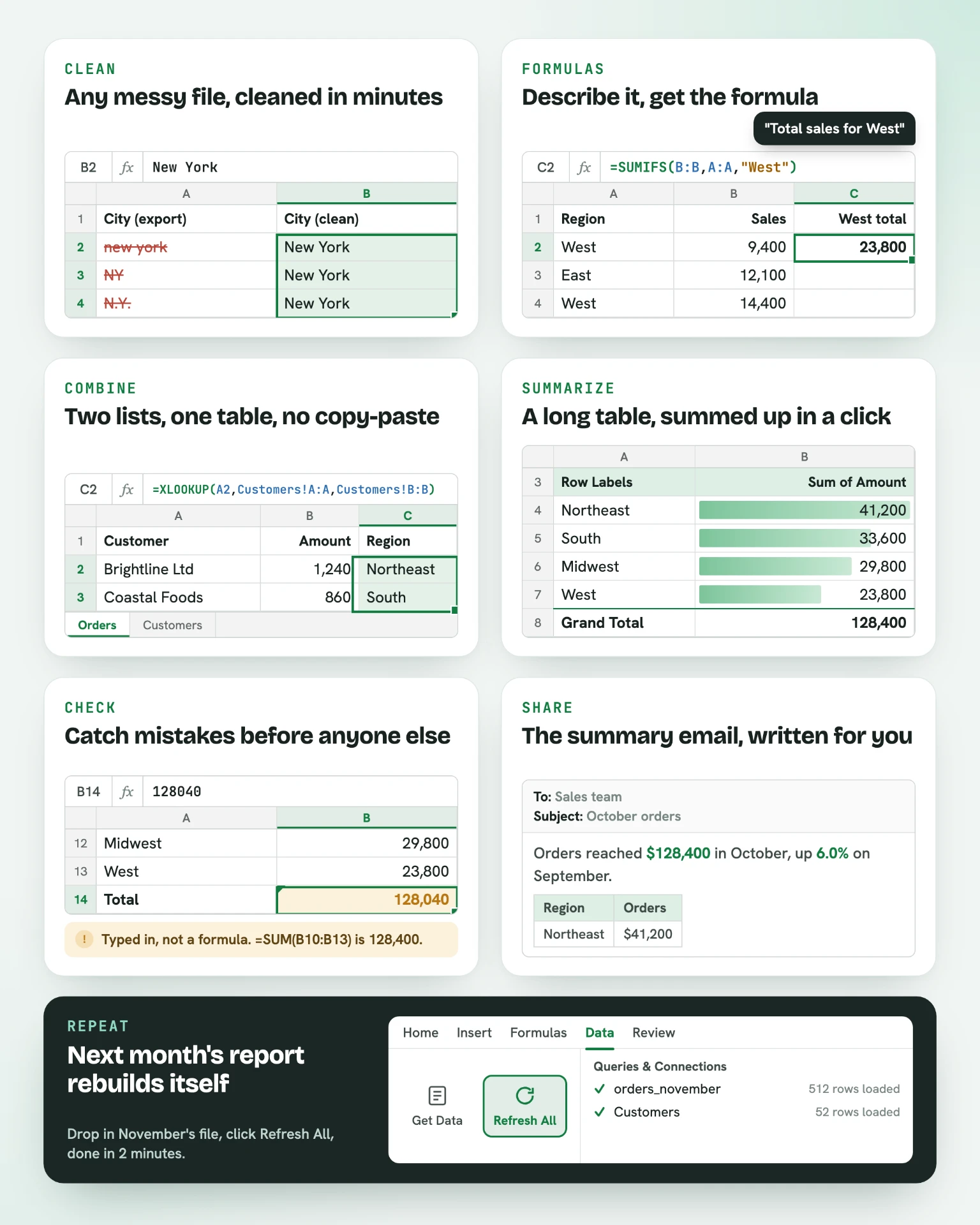
  • Clean up any messy file in minutes: duplicates, wrong dates, extra spaces and inconsistent names
  • Get any formula you need just by describing it in plain English, without searching Google
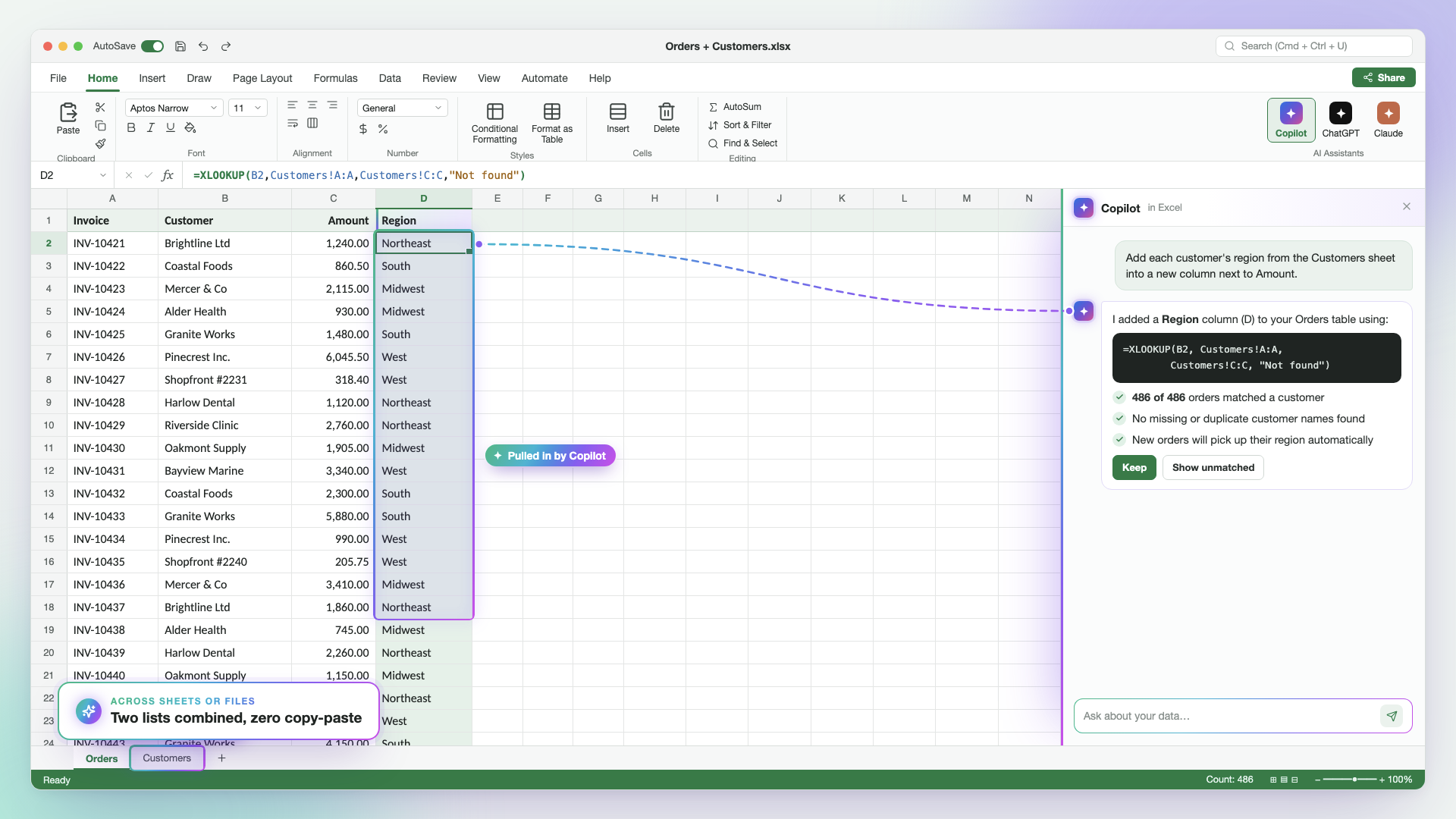
  • Match and combine data from two different lists or files without copying and pasting
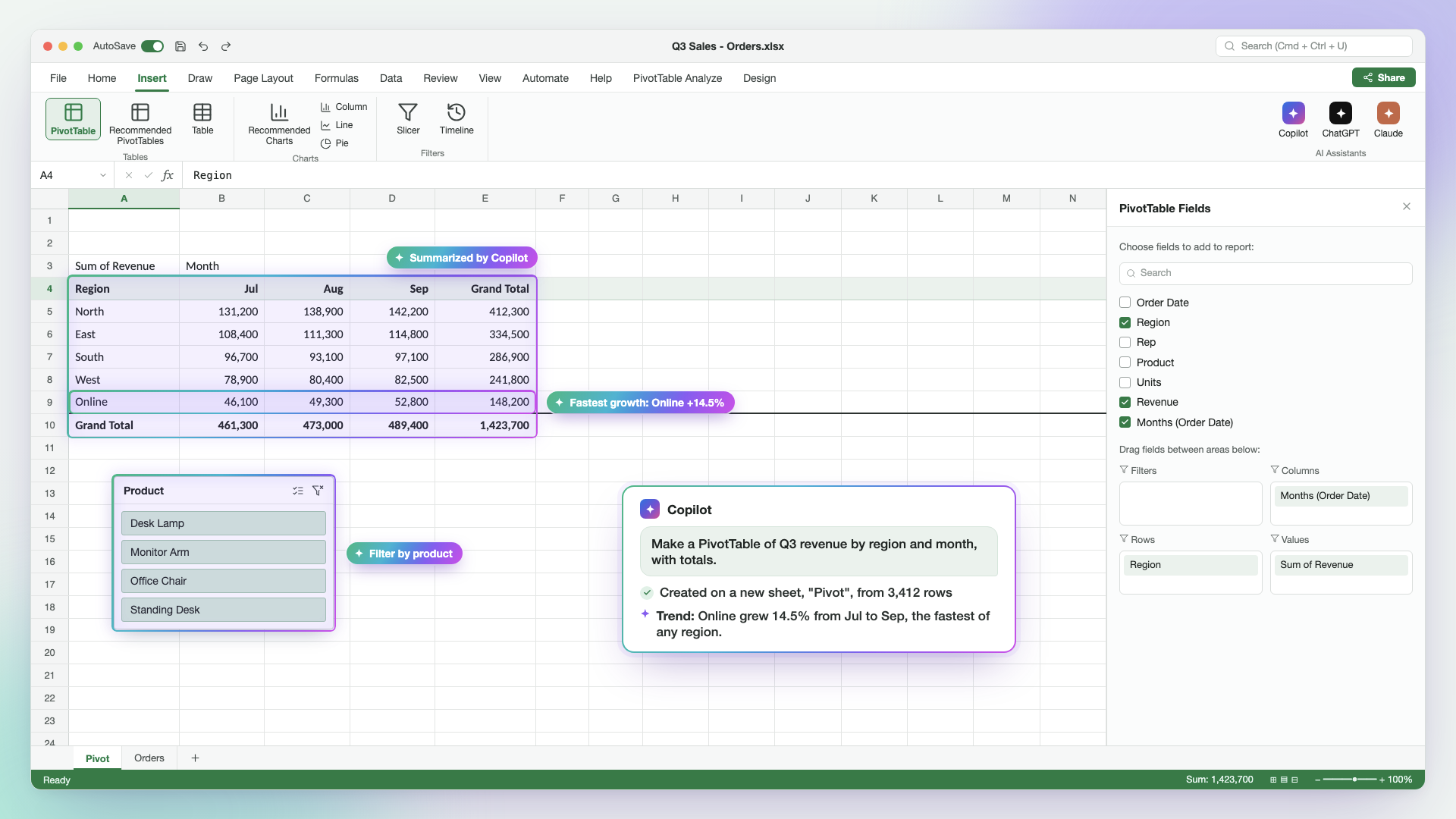
  • Turn a long table of data into a clear summary, chart or dashboard in a few clicks
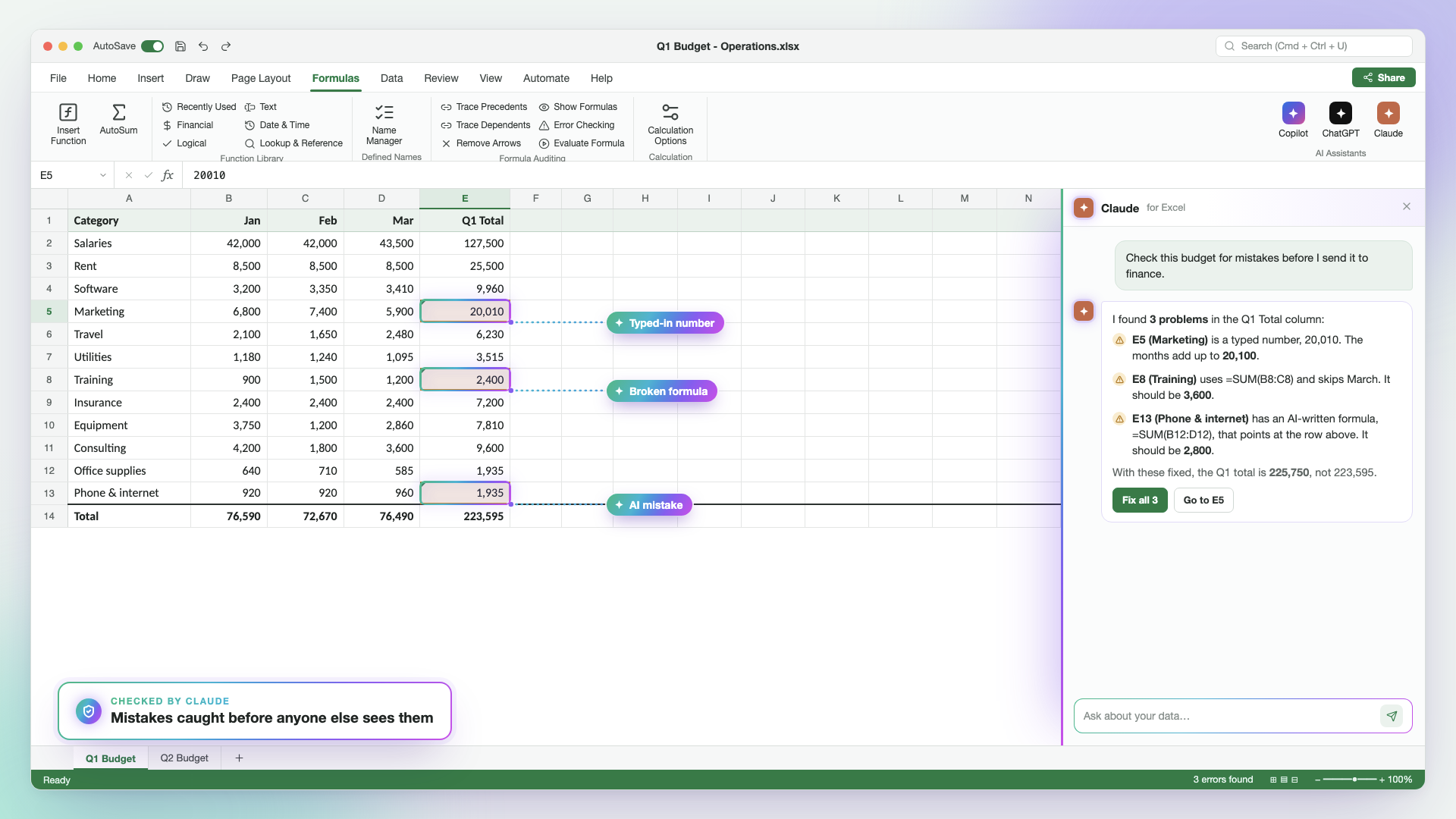
  • Find the mistakes in a spreadsheet before anyone else does, including one you didn’t build
  • Write the email or meeting summary of your numbers in seconds, straight from the spreadsheet
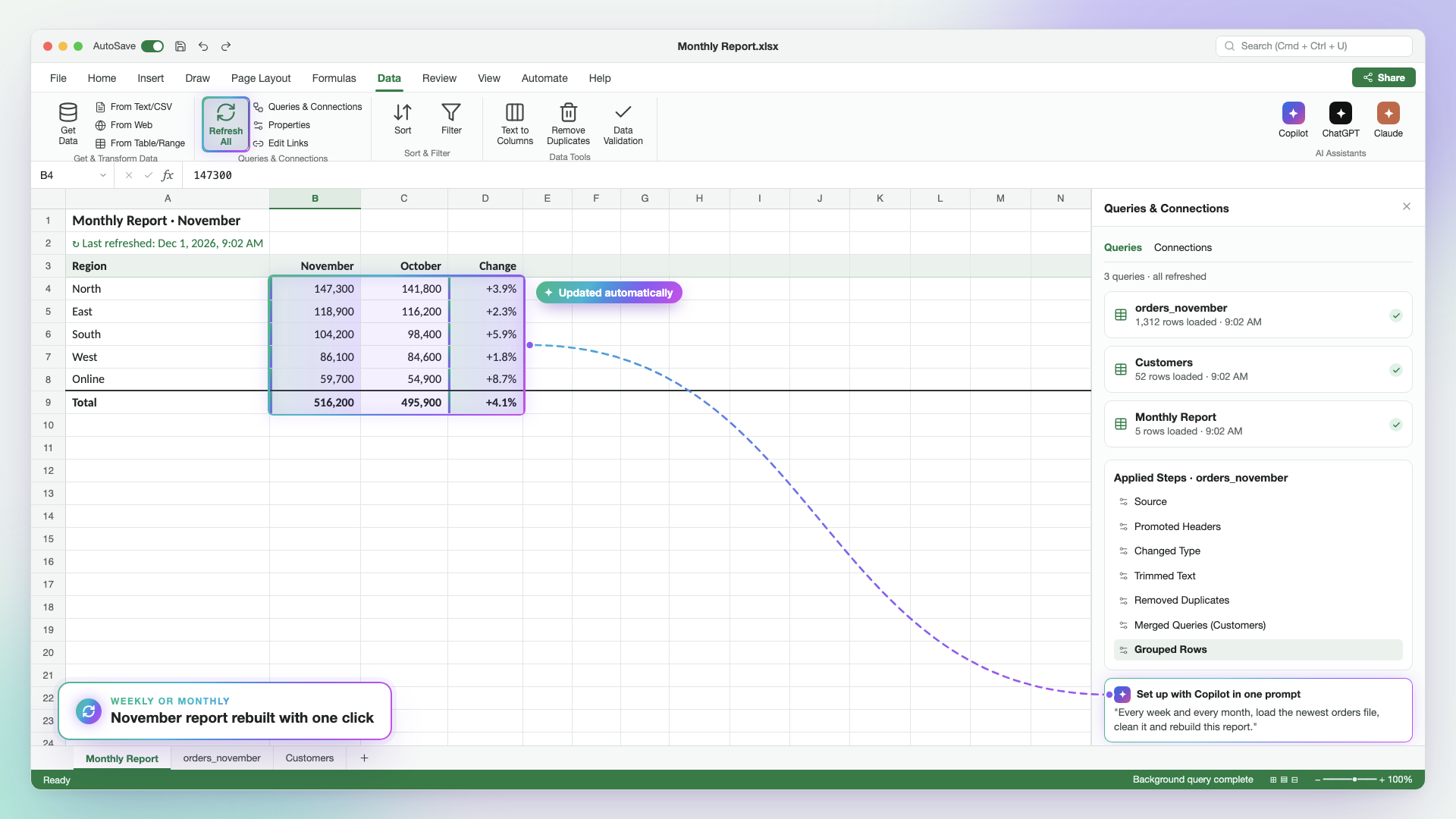
  • Set up the reports you make every week or month so they update themselves when new data comes in
Your Host

Hi, I’m Ryan Holt

Ryan Holt

I spent 11 years in corporate operations, and for most of that time my week looked the same: pulling the Monday export, cleaning it up, fixing the formulas that had broken since last time, and rebuilding the same monthly report by hand.

I knew Excel well, but I was spending hours on work that honestly didn’t need me, and staying late to finish it.

When AI tools started showing up at work, I tried them like everyone else and got formulas that didn’t work and numbers I couldn’t trust.

Instead of giving up, I kept testing Copilot, ChatGPT and Claude on my real files until I found a way of working that got things right the first time and that I could always double-check. The report that used to take me most of a day started taking about 20 minutes.

It didn’t take long for people to notice. Coworkers started asking how I was doing it, my manager asked me to walk the whole team through it, and soon friends at other companies were sending me their spreadsheets and asking for help.

That’s why I started running this masterclass live: so I can show you the exact steps I use every week, on the kind of files you work with, and answer your questions as we go.

Masterclass starts in
00
Days
00
Hours
00
Minutes
00
Seconds

What You’ll Learn in This Masterclass

Every lesson works in Microsoft Copilot, ChatGPT and Claude, so you can follow along with whichever AI your company allows.

Live lesson with Ryan Holt🗓️ Thursday, November 5
WEEK 1

AI Foundations for Excel and Advanced Prompting
Week 1: AI Foundations for Excel and Advanced Prompting
Eastern Time
6:00 – 7:30 PM
Central Time
5:00 – 6:30 PM
Pacific Time
3:00 – 4:30 PM

Like any new skill, we start with the foundations, but we won’t stay there for long.

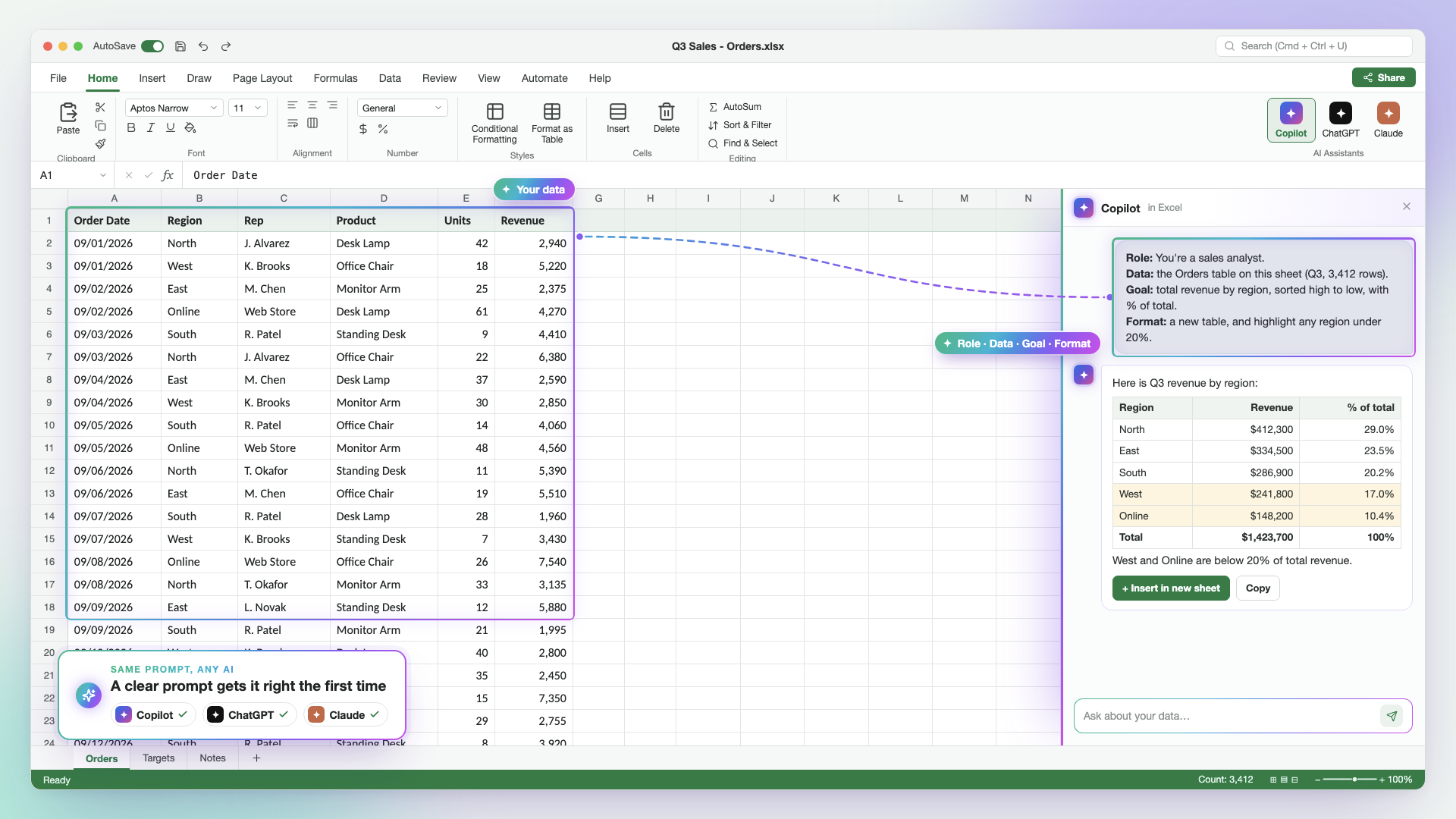
In this first week, you’ll learn how to give Copilot, ChatGPT and Claude the right instructions so they understand your spreadsheet as well as you do.

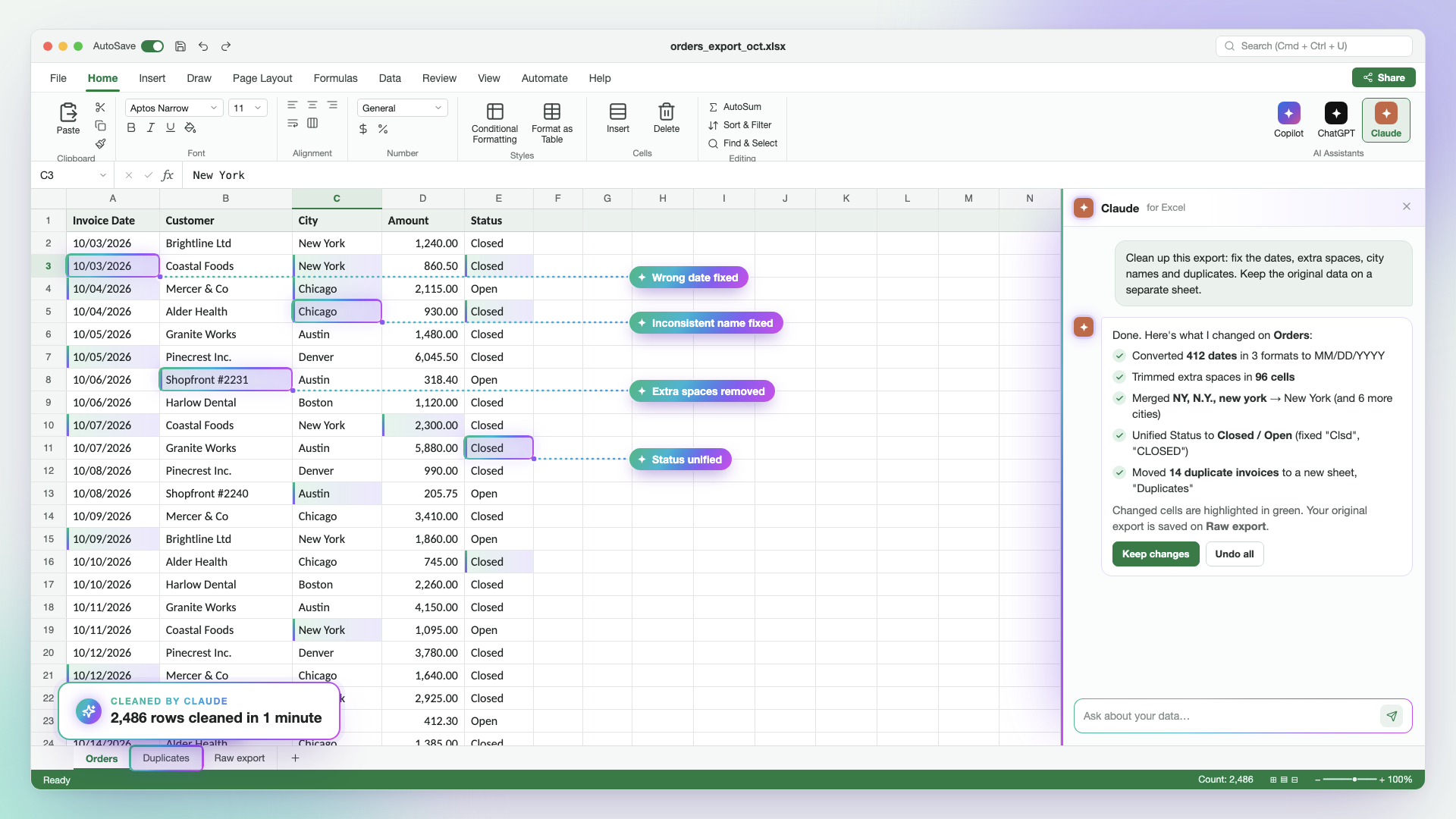
Then we’ll put them straight to work on the task that eats more time than almost anything else in Excel: fixing a messy file before you can even start working on it.

By the end of the evening, a file that used to take you an hour to clean up will take a few minutes, and you’ll know exactly how to do it again on your own data the next morning.

What You’ll Learn in This Lesson?

Copilot, ChatGPT or Claude: Which One to Use and When
What each one does best inside Excel, and how to get great results from the one your company allows
The Prompt Method for Spreadsheets
How to describe your data, your columns and your goal so the AI gets it right on the first try instead of the fifth
Clean Any Messy File in Minutes
Duplicates, mixed date formats, extra spaces, names spelled three different ways, and data stuck in PDFs or screenshots
Let AI Work Without Breaking Anything
How to keep your original data untouched, review every change before you accept it, and know what’s safe to share
Live lesson with Ryan Holt🗓️ Thursday, November 12
WEEK 2

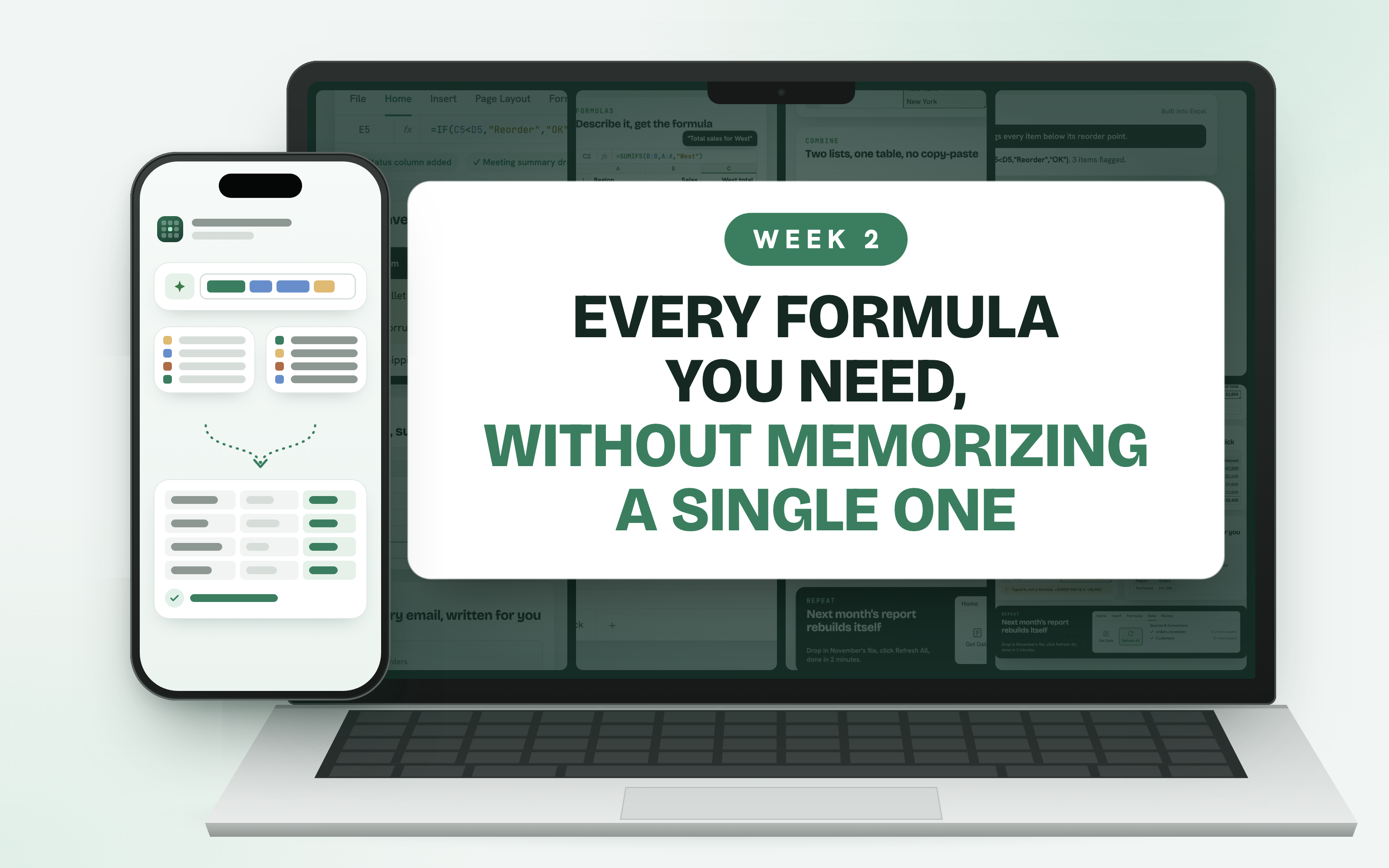
Every Formula You Need, Without Memorizing a Single One

Week 2: Every Formula You Need, Without Memorizing a Single One
Eastern Time
6:00 – 7:30 PM
Central Time
5:00 – 6:30 PM
Pacific Time
3:00 – 4:30 PM

In the second week, you’ll stop searching Google for formulas forever.

You’ll learn how to describe what you need in plain English and let Copilot, ChatGPT or Claude write the formula for you, from simple totals to lookups that pull information from one list into another. Then we’ll open the kind of file everyone inherits at some point, full of formulas nobody understands and numbers nobody can explain, and make sense of it in minutes.

This is the week you go from being afraid of breaking a spreadsheet to being the person everyone asks to fix one.

What You’ll Learn in This Lesson?

Any Formula in Plain English
SUM, IF, SUMIFS, XLOOKUP and more, written from a single sentence and explained back to you so you understand exactly what it does
Match and Combine Two Lists Without Copy-Paste
Pull customer, product or employee details from one file into another in seconds
Fix and Explain Any Spreadsheet You Inherit
Find broken formulas, typed-in numbers and hidden errors in files you didn’t build
Catch AI’s Mistakes Before Anyone Else Does
Simple checks and a second-opinion technique using two AIs, so every number you share is right
Live lesson with Ryan Holt🗓️ Thursday, November 19
WEEK 3

From Raw Data to Reports and Dashboards in Minutes

Week 3: From Raw Data to Reports and Dashboards in Minutes
Eastern Time
6:00 – 7:30 PM
Central Time
5:00 – 6:30 PM
Pacific Time
3:00 – 4:30 PM

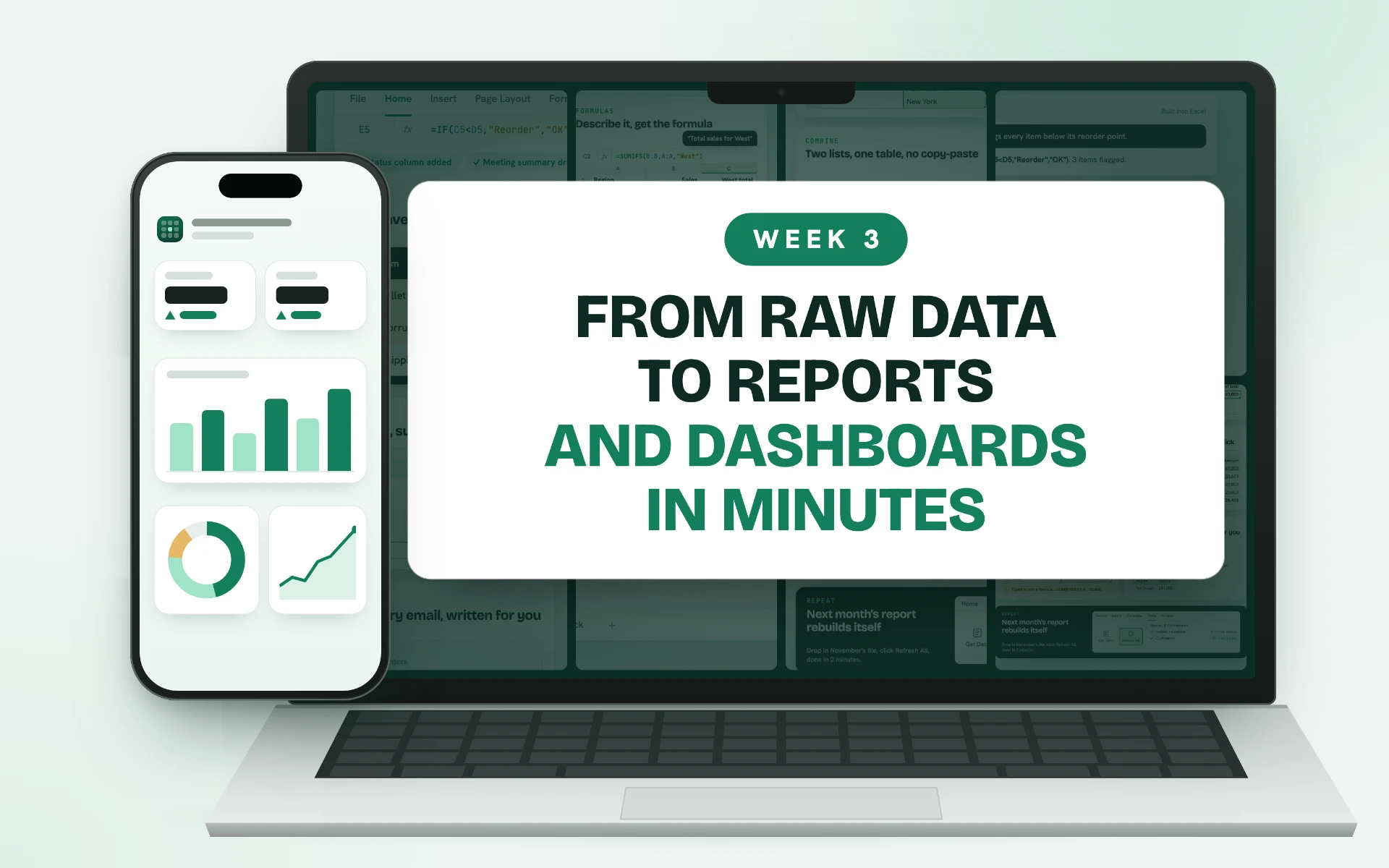
In the third week, we turn clean data into something people actually want to read.

You’ll use Copilot, ChatGPT and Claude to build PivotTables, charts and dashboards from long tables of data, without fighting with menus or formatting for hours.

Then you’ll learn how to ask your data questions in plain English and get back the trends, the changes and the numbers that matter.

We’ll finish with the part that usually takes the longest: writing the email, the meeting update or the slides that explain what the numbers mean.

What You’ll Learn in This Lesson?

PivotTables in Seconds
Summarize thousands of rows by month, region, product or person just by asking
Charts and Dashboards That Look Professional
Clear visuals your manager and your team can read at a glance, built in a few clicks
Ask Your Data Questions
Find trends, outliers and what changed since last month without building the analysis by hand
From Numbers to Email, Slides and Meeting Notes
Let AI write the summary of your report, with every number pulled straight from the spreadsheet
Live lesson with Ryan Holt🗓️ Thursday, December 3
WEEK 4

How to Automate 95% of the Repetitive Work You Do in Excel

Week 4: How to Automate 95% of the Repetitive Work You Do in Excel
Eastern Time
6:00 – 7:30 PM
Central Time
5:00 – 6:30 PM
Pacific Time
3:00 – 4:30 PM

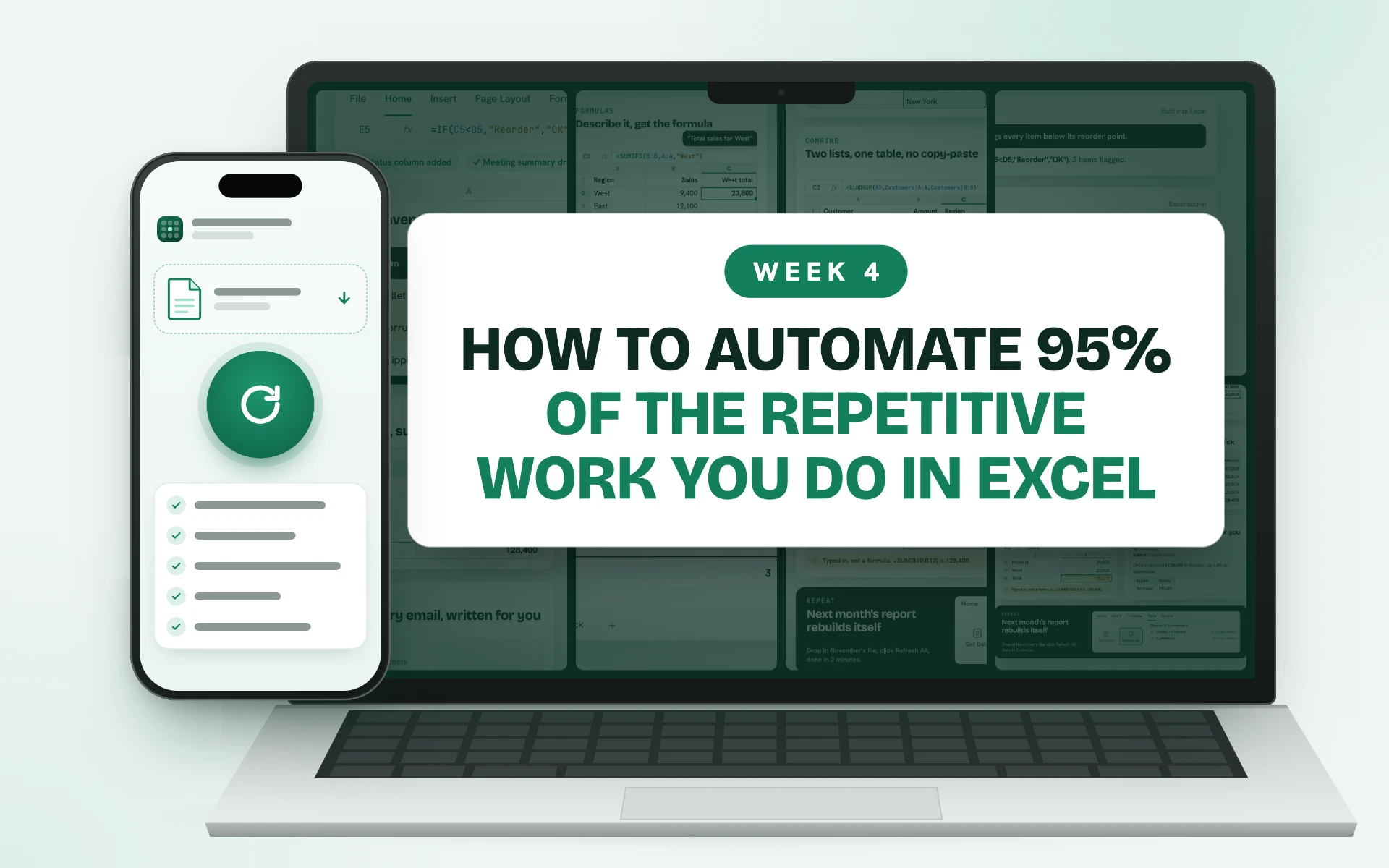
In the last week, we bring everything together and make it repeat.

You’ll learn how to set up the reports you build every week or month so they rebuild themselves: drop in the new file, click Refresh, and it’s done. You’ll also see how Copilot, ChatGPT and Claude can write the macros and automations that used to need a programmer, so the tasks you repeat every day take a single click.

You’ll bring one of your own recurring reports to this lesson and rebuild it live, so you leave with a real workflow you’ll use the very next week.

What You’ll Learn in This Lesson?

Reports That Rebuild Themselves
Use Power Query and Refresh All, with AI writing the steps, so next month’s report takes minutes instead of hours
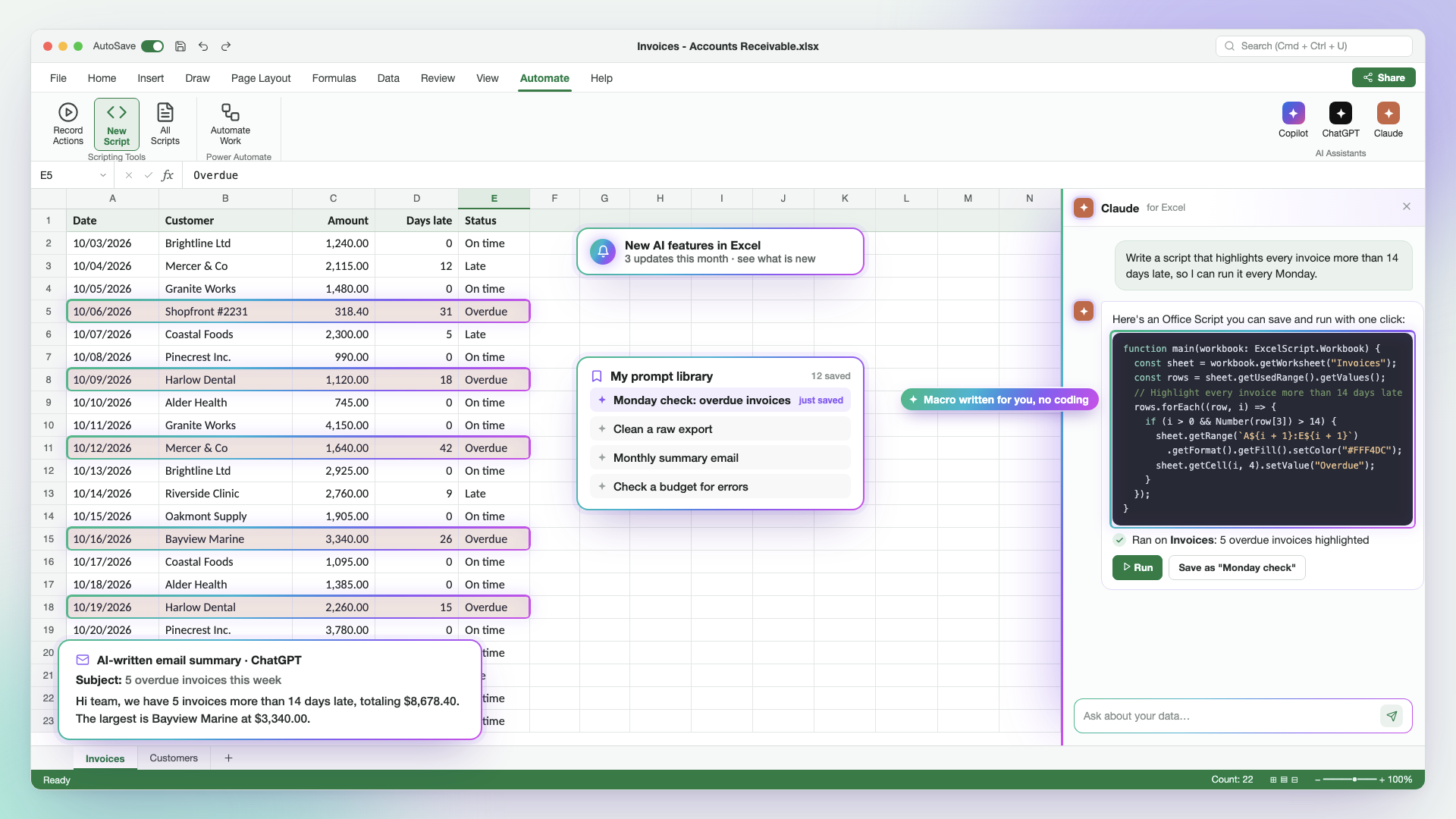
Macros and Automations Without Coding
Let AI write the macros and scripts that handle your daily repetitive tasks
Your Personal AI Assistant for Excel
Save your best prompts and instructions so the AI already knows your files, your format and how you like things done
Rebuild Your Own Report, Live
Bring a report you make every week or month, automate it during the lesson, and measure exactly how much time you’ve saved

Everything You Get When You Join the Masterclass

Masterclass mock-up
  • 4 live sessions on Zoom (Nov 5 · Nov 12 · Nov 19 · Dec 3, 6:00 PM ET)
  • Live Q&A on your own spreadsheets in every session
  • Lifetime access to every recording
  • Copilot, ChatGPT and Claude techniques, so it works with whatever AI your company allows
  • Certificate of completion
All for a one-time payment of
$45

The Techniques You’ll Learn

01

Prompting for Spreadsheets

Learn exactly how to describe your data and your goal so Copilot, ChatGPT and Claude get it right the first time.

Prompting for Spreadsheets
02

AI Data Cleaning

Fix duplicates, wrong dates, extra spaces and inconsistent names across thousands of rows in minutes.

AI Data Cleaning
03

Plain-English Formulas

Get any formula you need, from SUM to XLOOKUP, just by describing it, and understand what it does.

Plain-English Formulas
04

Matching and Combining Lists

Pull data from one file or sheet into another without copying and pasting a single row.

Matching and Combining Lists
05

Error Checking and Auditing

Catch broken formulas, typed-in numbers and AI mistakes before your spreadsheet reaches anyone else.

Error Checking and Auditing
06

PivotTables and Data Analysis

Summarize thousands of rows by month, region or product and spot the trends that matter.

PivotTables and Data Analysis
07

Charts and Dashboards

Turn raw tables into clear visuals and dashboards your manager can read at a glance.

Charts and Dashboards
08

Report Automation

Set up the reports you build every week or month so they update with a single click.

Report Automation
09

And Much More…

Macros without coding, AI-written email summaries, your own prompt library, and new AI features as they arrive.

And Much More…

Get Your Certificate of Completion

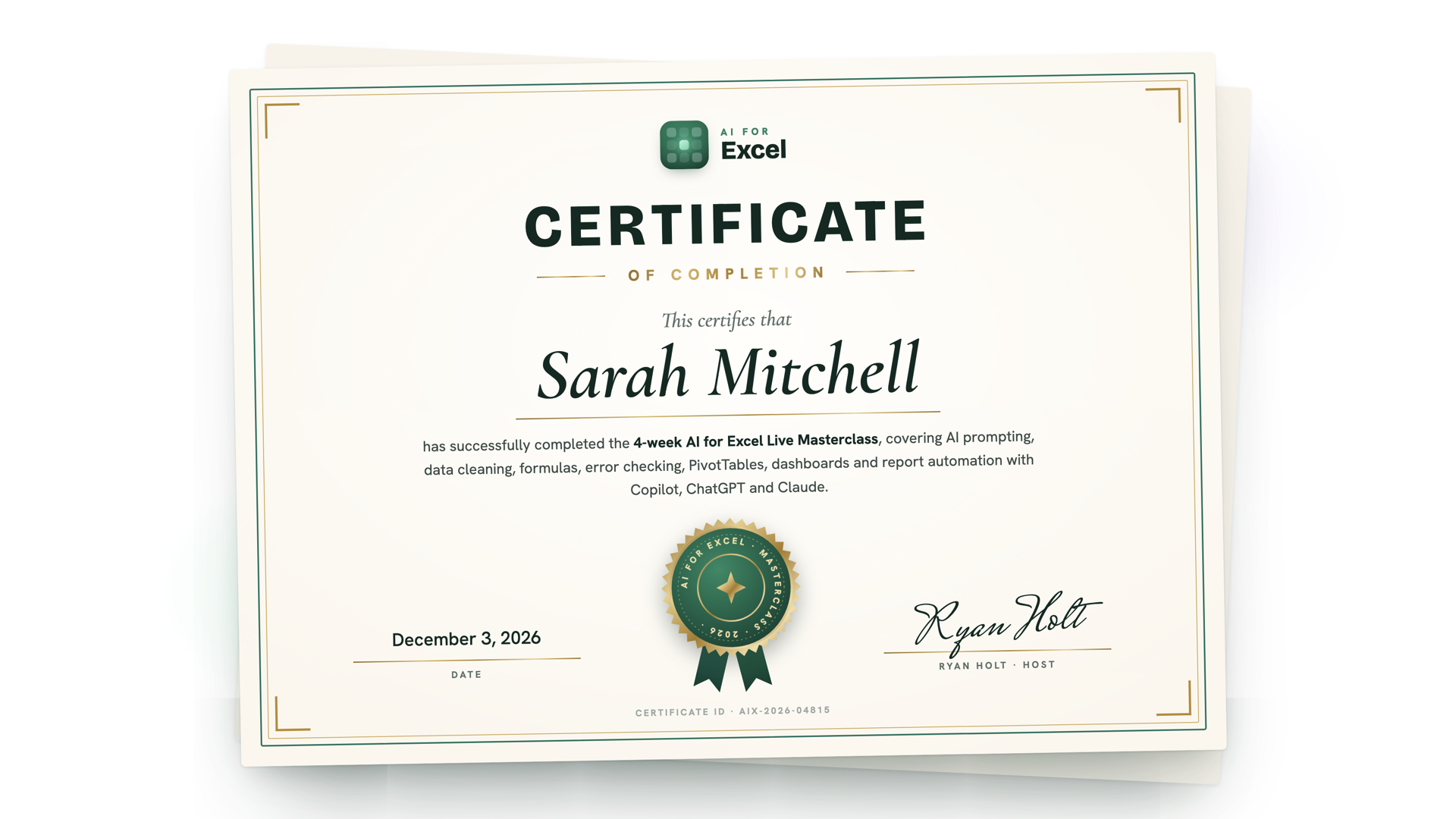
When you finish all four weeks, you’ll receive a personal certificate of completion with your name, the date and Ryan’s signature. You can share it with your manager, add it to your LinkedIn profile, or keep it as proof that you know how to use AI in Excel the right way.

AI for Excel Masterclass certificate of completion example

Frequently Asked Questions

When does the masterclass start, and where are the lessons held?

The masterclass starts on Thursday, November 5, 2026. It runs as four live lessons, one each Thursday at 6:00 PM Eastern (5:00 PM Central, 4:00 PM Mountain, 3:00 PM Pacific):

Week 1: Thursday, November 5 · Week 2: Thursday, November 12 · Week 3: Thursday, November 19 · Week 4: Thursday, December 3. We skip November 26 so nobody has to choose between the class and Thanksgiving.

All lessons are held live on Zoom, so you can join from home or the office on any computer. Using Excel on a laptop or desktop alongside the call is the easiest way to follow along. After you sign up, you’ll get an email with the Zoom link and the full schedule, and you can use the same link for all four lessons. You don’t need a paid Zoom account; the free app or your web browser is enough. Because the lessons are live, you can ask Ryan questions in the chat as he works and get answers in real time, including questions about the kind of files you use at work.

Will the lessons be recorded?

Yes. Every lesson is recorded, and the recording is available right after it ends, so if you miss a Thursday or want to rewatch a step, you can catch up before the next lesson. You get lifetime access to all four recordings, so you can go back to them months from now when you’re building a report and need a reminder of how a technique works. Live attendance is still the best way to get your own questions answered, but missing a session doesn’t mean missing the content.

Do I need any specific skills or knowledge?

No. If you use Excel at work, even just to open files, enter numbers, sort a list or write a simple SUM, you already know enough. You don’t need advanced Excel skills, you don’t need to know how to code, write macros or build PivotTables, and you don’t need any prior experience with Copilot, ChatGPT or Claude. Everything is shown step by step on screen, starting from the basics of writing a good prompt, and each technique builds on the one before it, so nobody gets left behind. If you’re already comfortable with Excel, you’ll still get a lot out of it, because the focus is on getting AI to do the slow, repetitive work for you, not on teaching Excel from scratch.

Which AI tool do I need, and what if my company only allows one?

You don’t need all of them, and you don’t need to buy anything new to get started. The masterclass covers Copilot, ChatGPT and Claude because different companies allow different tools, and everything Ryan teaches works with whichever one you’re allowed to use. If your company only allows Copilot, you’ll learn how to get the most out of Copilot; if you can use ChatGPT or Claude, you’ll see how to use them with your spreadsheets too. Most of the techniques also work with the free versions, and Ryan points out the few cases where a paid plan makes a difference. You’ll also learn how to work with company data safely, including what you should and shouldn’t paste into an AI tool.

How accurate is the AI, and do I need to check its work?

AI is great at the boring, repetitive parts of Excel, but it can still make mistakes, just like a new coworker would. That’s why the masterclass also teaches you how to check its work quickly. You’ll learn how to ask the AI clearly so it gets things right the first time, and a simple routine to double-check the numbers in a few minutes instead of redoing everything yourself. So yes, you stay in control, but checking takes minutes, not hours, and you’ll know exactly what to look for.